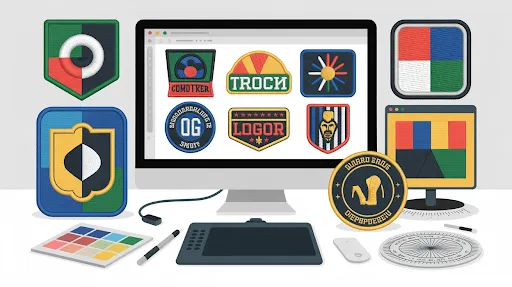
Your patch idea can be amazing, but if the artwork shows up blurry, pixelated, or “close enough,” the final patch will look the same. That’s why Vector Art & Digitizing is the first step in custom patch creation. Get this part right and everything else gets easier. Get it wrong and you’ll be zooming into a fuzzy logo at 2:00 a.m. wondering where life went off track.
Vector Art & Digitizing Explained The First Step In Custom Patch Creation
What Vector Art Actually Means?
Vector art is artwork made from clean lines and shapes, not tiny squares. It stays sharp whether it’s printed on a business card or turned into a big back patch. That’s the magic.
If you send a PNG or JPG, it can still work, but it’s basically a photo of your logo. Photos blur when you resize. Vector files don’t.
Common vector formats include AI, EPS, PDF, and SVG. If you have one of those, you’re starting strong.
What Digitizing Means In Patch Domain
Digitizing is not “making it digital.” Your logo is already digital. Digitizing means converting your art into stitch instructions for embroidery machines.
A digitizer decides things like:
- Where stitches start and stop
- Stitch direction so the patch looks smooth and readable
- Stitch types like satin, fill, and running stitch
- Underlay stitches that help the top stitching sit clean
- Stitch density so the patch looks full but not stiff
Take digitizing as translating your logo into thread language. And thread is picky.
Why Digitizing Matters More For Patches Than You Think?
A patch has hard edges, borders, and a small working area. That means details get tight fast.
Digitizing for custom patches also needs to account for:
- Small text that can turn into a blob if it’s too tiny
- Thin lines that disappear when stitched
- Color blocks that need clean edges
- The border style like merrowed border or stitched border
- Patch backing options like sew-on backing, iron-on backing, or hook and loop backing
This is why two patches can use the same logo and still look totally different. Digitizing decisions make the difference.
The Quick Prep Checklist Before You Send Your Logo
If you want a professional embroidered patch, keep your art patch-friendly.
Do this before you send your file:
- Use a vector file if possible, or a high resolution PNG with a transparent background
- Remove tiny taglines if the patch will be small
- Increase line thickness if your logo has thin outlines
- Limit colors if you want a cleaner look and faster production
- Decide your patch size based on where it will go, hat, sleeve, jacket, backpack
If you need help simplifying a design without wrecking it, this guide “How to Design Your Own Custom Patch (Even If You’re Not a Designer)” is a solid starting point.
Embroidered Patch vs Woven Patch And How That Affects Digitizing
Here’s the simple truth. Embroidery creates texture with thicker thread. Woven patches create detail with thinner threads.
If your design is bold and simple, embroidered patches look great. If your design has tiny text or lots of fine detail, woven patches can read clearer.
Digitizing is mainly an embroidery step, but your artwork prep still matters for woven too. Clean files and good contrast win every time.
What A Proof Really Tells You?
When you get a proof, don’t just glance at it and say “looks good.” Zoom in and check the parts that usually fail.
Look for:
- Text readability
- Edges that look crisp, not fuzzy
- Gaps between elements that are not filling in
- Color contrast that still works in thread
If the proof looks crowded, the patch will look crowded. If the proof looks clean, you’re in the safe zone.
FAQs
What is vector art?
Vector art is artwork made from shapes and lines that stays sharp at any size, which makes it ideal for custom patch design.
What is digitizing for patches?
Digitizing is converting your artwork into stitch instructions so an embroidery machine can create a professional embroidered patch.
Can you digitize a low quality logo?
Yes, but results depend on the file. A low quality image may need redraw or cleanup before it can be digitized properly.
Does digitizing change my logo?
It can slightly simplify or adjust details so the logo stitches cleanly in thread, especially small text and thin lines.
The Smart Next Move!
If you want a patch that looks sharp, start with Vector Art & Digitizing done the right way. Clean artwork plus solid digitizing equals a professional embroidered patch you’ll actually be proud to put on gear. And if you want help turning your logo into a stitch-ready patch design, The Eagle Patches USA can guide the file prep, digitizing, and final patch build so you get it right on the first run.